
Motorola by Hubble Connected
Hubble ConnectedParenting
3.7531.00 Reviews
- Version
- 1.01.42
- Installs
- 100.00K
- Age Rating
- Everyone
Screenshots
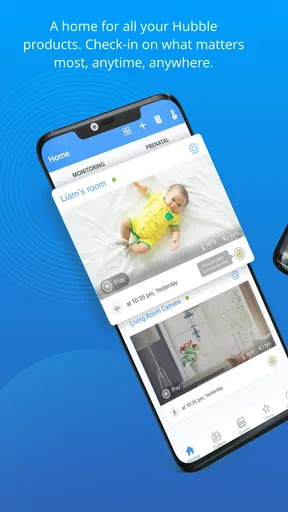
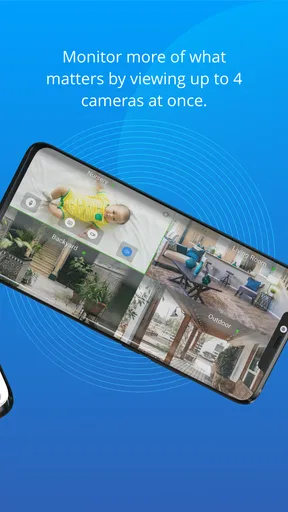
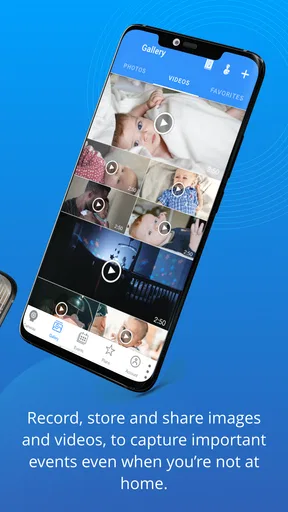
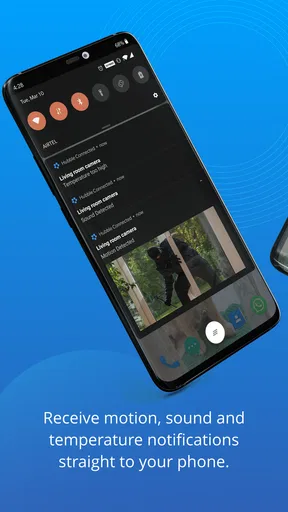
Our Review of Motorola by Hubble Connected
 Analysis by Appyee
When a baby monitor works, it can quickly become part of the household routine: a quick check before bed, a glance during a nap, or a way to see what is happening while you step into another room. The harder question is whether its companion app still feels useful after the first few days. Motorola by Hubble Connected is a free parenting app from Hubble Connected for people using compatible Motorola monitors and home devices. I see its lasting value less in novelty and more in whether checking in becomes a dependable, low-effort habit.
What feels useful in the first week
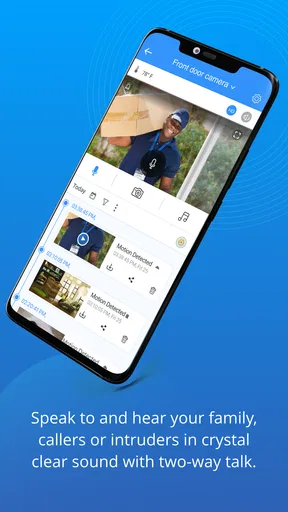
When you are getting used to a monitor, live video, night vision, two-way audio, and alerts can make the phone feel like a handy second screen. For a new parent, being able to check the nursery without opening the door may help keep a nap undisturbed. Two-way audio gives you a way to speak through the device when that is more useful than walking in immediately, although it is not a substitute for attending to a child who needs you.
The app is built around Motorola baby monitors, home cameras, and other smart devices, so it makes most sense when you already own compatible hardware. If you are choosing a monitor from scratch, I would first check that the exact device you plan to buy works with the app and that its own controls meet your needs. An app cannot make an incompatible camera useful, and the phone experience is only one part of the setup.
From occasional checks to an everyday routine
The strongest case for keeping the app installed is a routine that genuinely benefits from remote viewing. Imagine putting a baby down for a nap, then preparing lunch nearby: a brief look at the video can answer whether the room is settled without interrupting the nap. Later, a sound alert might prompt a check when your hands are busy. In a home with more than one compatible device, having them managed from one account can also be simpler than switching between separate tools.
That convenience has limits. A phone check is helpful when you are away from the monitor’s display or moving around the house, but it depends on a working connection and a charged, accessible phone. I would treat alerts as prompts to look, not as a guarantee that every important sound or movement will be noticed. If uninterrupted monitoring is essential, a dedicated parent unit or another dependable local option may suit you better than relying on a phone alone.
Compared with a basic audio monitor, this app-based setup can offer a visual check and remote access, which may be valuable when you are not in the same room or want to see what triggered an alert. Compared with a camera that is not designed around baby monitoring, the baby-monitor context may be a better fit for nursery checks, but the practical difference still depends on the compatible hardware. I would choose the device and monitoring style first, then judge whether the app adds enough convenience to justify becoming part of the routine.
Keeping alerts and access manageable
Motion and sound notifications can be useful, but they can also become noise if every ordinary change leads to a phone alert. A sensible approach is to begin with conservative expectations, observe what generates notifications in your room, and adjust the sensitivity if the available controls allow it. A fan, household activity, or a pet may affect what the camera detects, so it is worth checking the pattern before trusting alerts as a meaningful signal.
There is a practical trade-off between sensitivity and calm. More alerts may help you notice activity sooner, but frequent false alarms can train you to ignore the phone. Fewer alerts can make each one feel more useful, while also increasing the chance that a change will not prompt an immediate check. I would use notifications as a convenience layer and keep a routine that does not depend on them alone.
Two-way audio also works best when used deliberately. A brief, familiar voice may be reassuring, but speaking through a phone is not the same as being in the room, and repeated use can disturb rather than settle someone. I would try it in a low-stakes moment first, listen for how the sound comes through the monitor, and use it only when it helps. That small test tells you more than assuming the feature will suit every child, room, or situation.
Getting Started with Motorola by Hubble Connected
First things first, setting up Motorola by Hubble Connected is a breeze. You can download it from both the Google Play Store and the Apple App Store, so no matter what type of phone you have, you're covered. Once you have it installed, the app walks you through the setup process. I found the step-by-step instructions super helpful, especially if you're like me and tend to get lost in tech jargon.
The app is primarily used to control and monitor Motorola baby monitors, home cameras, and other smart devices. So, if you're already in the Motorola ecosystem, this app is your new best friend. The interface is pretty user-friendly, with a clean design that doesn’t overwhelm you with too many options right off the bat.
Features That Stand Out
Now, let's talk features. One of the coolest things about this app is its real-time video streaming. Whether you're checking on your little one sleeping in the nursery or making sure Fido isn't tearing up the living room, you can do it all in high definition. The video quality is impressive, even in low-light conditions, thanks to the night vision mode.
Another feature that caught my eye is the two-way audio. This isn't just a gimmick; it’s actually quite handy. You can soothe your baby back to sleep with your voice or let your pets know you're on your way home. It’s like having a walkie-talkie built into your phone. How cool is that?
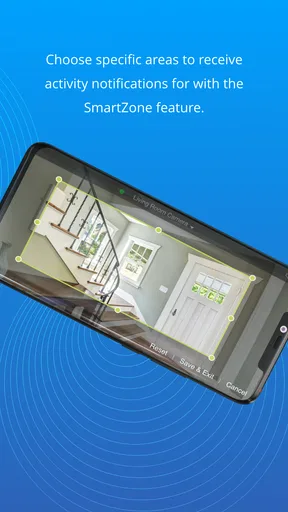
And for those who are a bit forgetful, there's the motion and sound detection alerts. The app sends you notifications whenever movement or sound is detected, helping you stay in the loop no matter where you are. You can customize the sensitivity of these alerts, which is a nice touch if you want to avoid unnecessary notifications every time a leaf blows past your window.
Usability and Performance
In terms of usability, the app runs smoothly without any noticeable lag. I tested it on both Android and iOS, and it performed consistently well on both platforms. Navigating through the app is intuitive, and connecting new devices is straightforward. You can even manage multiple devices from one account, which is perfect if you're juggling several cameras or monitors.
One thing to note is that while the app itself is free, some features are locked behind a subscription service. The premium plan offers cloud storage for your videos, which is handy if you need to review footage later. It’s worth considering if you want to make the most out of your setup.
Long-term value and the subscription decision
The app has an average rating of 3.7 from around 2,600 ratings, alongside more than 500 written reviews and over 100,000 installs. Those figures suggest it has found an audience, but they do not tell me whether its features match your household’s needs. The current version is 1.01.42, and it supports Android 5.0 or later. Its age rating is Everyone, which describes the app’s content classification rather than whether every monitoring setup is right for every family.
There is no charge to install the app, but in-app purchases range from $5.99 to $149.00 per item. I would decide about paid options based on a specific need, rather than assuming that cloud video storage is essential. If you only want to check a live feed and use the basic monitoring tools, consider whether those functions are enough for your routine. If reviewing saved footage matters to you, compare the recurring value and terms of the available option with how often you expect to use it before paying.
That distinction matters over time. A feature can feel appealing in the first week and then become something you rarely open, while a simple live check may remain useful every day. Before spending, I would ask myself whether I need a record of past events or mainly want reassurance in the moment. The answer depends on your routine, not on the number of options in an app.
Where the routine can wear thin
Phone-based monitoring can create its own small maintenance burden: keeping the app available, remembering to check the phone, managing notifications, and making sure the compatible camera is positioned to show the area you actually care about. These are not dramatic chores, but they matter when a tool is supposed to reduce friction. A camera aimed at the wrong part of the crib or room will not become useful just because the app is easy to navigate.
I would spend a little time choosing a practical camera position, then test the view in both daylight and darkness before relying on it for regular checks. Keep the monitor’s normal controls in mind too, so the phone does not become the only way you know how to use the setup. If another caregiver shares the routine, agreeing on who responds to alerts can prevent duplicate checks and confusion.
The main reason I would stop using an app like this is not lack of features but alert fatigue or dependence on a phone that is often muted, charging, or out of reach. If you find yourself checking continuously, notifications are disrupting your day, or a dedicated screen is more convenient, a conventional monitor may be the better fit. Likewise, if you do not own compatible Motorola devices, there is little reason to choose this app over the companion software for the hardware you already have.
Wrapping It Up
So, what’s the final verdict? If you’re already invested in Motorola home devices, Motorola by Hubble Connected is a no-brainer. It seamlessly integrates with your devices, offering a range of features that make keeping an eye on your home a lot easier. The app is easy to use, reliable, and packed with features that deliver real value.
Of course, like any app, it's not perfect. The subscription model might be a turn-off for some, and if you’re not using Motorola devices, this app probably isn’t for you. But for those in the ecosystem, it’s a solid addition to your smartphone toolkit.
In conclusion, if you're looking for a way to stay connected to your home with minimal hassle, give Motorola by Hubble Connected a shot. It might just be the peace of mind you’ve been searching for.
Who is most likely to keep using it?
I would recommend it most to someone who already has a compatible Motorola monitor and wants a convenient phone-based way to check the nursery or another part of the home. The appeal is strongest when a quick visual check saves a trip or when more than one device needs to be managed through the same account. It is less compelling if you only need audio, prefer a dedicated screen, or are shopping for a camera without first confirming compatibility.
For parents deciding between this and a basic monitor, I would weigh the actual daily workflow rather than the feature list. If you often leave the room while a child naps, remote viewing and a carefully tuned alert may be useful. If you tend to keep the monitor beside you and rarely need video, a simpler option may be easier to live with. The best choice is the one that fits the routine you already have, rather than one that encourages constant checking.
Hubble Connected released the app on October 24, 2019, and it remains a focused companion for Motorola-connected monitoring rather than a general-purpose parenting guide. That focus is a strength when you own the right equipment, but it also defines the boundary of its usefulness. I would keep it installed if its live view and device management solve a recurring need; if the novelty fades and I stop opening it, I would not pay for extras merely to justify keeping it.
Verdict
Strengths of Motorola by Hubble Connected
- Intuitive user interface for easy navigation.
- High-quality video streaming for baby monitoring.
- Reliable connection with minimal dropouts.
- Customizable alerts for sound and motion.
- Two-way audio feature for communication.
Limitations of Motorola by Hubble Connected
- Limited compatibility with non-Motorola devices.
- Occasional app crashes reported by users.
- Requires strong Wi-Fi for optimal performance.
- Subscription needed for advanced features.
- Battery consumption can be high on smartphones.
Other Releases by Hubble Connected
View All
Hubble Connected for Motorola
Parenting3.7

HubbleClub By Hubble Connected
Parenting3.9
Similar Picks in This Category
View All
Family Space
Motorola Mobility LLC.3.9

شرطة الأطفال - مكالمة وهمية
Oub Apps4.1

Findmykids: Parental Control
LETEM LTD4.6

Pregnancy + | Tracker App
Philips Electronics UK Limited4.8

Policía de niños - para padres
Kids police4.7

Pregnancy App
Amila4.9
Frequently Asked Questions
What is Motorola by Hubble Connected?
Motorola by Hubble Connected is an app designed to work with Motorola baby monitors and other smart devices. It allows you to connect and control these devices remotely, providing features like live video streaming, two-way communication, and motion detection alerts, making it easier to monitor your home and loved ones.
Is Motorola by Hubble Connected compatible with all Motorola devices?
The app is primarily designed for use with specific Motorola devices, mainly baby monitors and home security cameras. Before downloading, it's crucial to check the compatibility list on the app’s official page to ensure your device is supported. Compatibility ensures that you can fully utilize all the features the app offers.
How secure is Motorola by Hubble Connected?
Security is a top priority for Motorola by Hubble Connected. The app employs encryption protocols to protect your video streams and data. However, users should ensure their network is secured with strong passwords and regular updates to both the app and their devices to maintain optimal security against potential threats.
Can I use Motorola by Hubble Connected on multiple devices?
Yes, the app can be installed on multiple devices, allowing different family members to access the same camera feeds or monitor different areas of the home. This feature is particularly useful for families who want to share monitoring responsibilities or keep an eye on multiple locations simultaneously.
Are there any subscription fees for Motorola by Hubble Connected?
Motorola by Hubble Connected offers a basic free version with essential features. However, for advanced features such as extended video history and additional cloud storage, a subscription may be required. It's advisable to review the app’s pricing options to decide which plan best suits your monitoring needs.
